

TM 5-3805-293-23-1
0008
COPY CONFIGURATION TO ECM CONTINUED
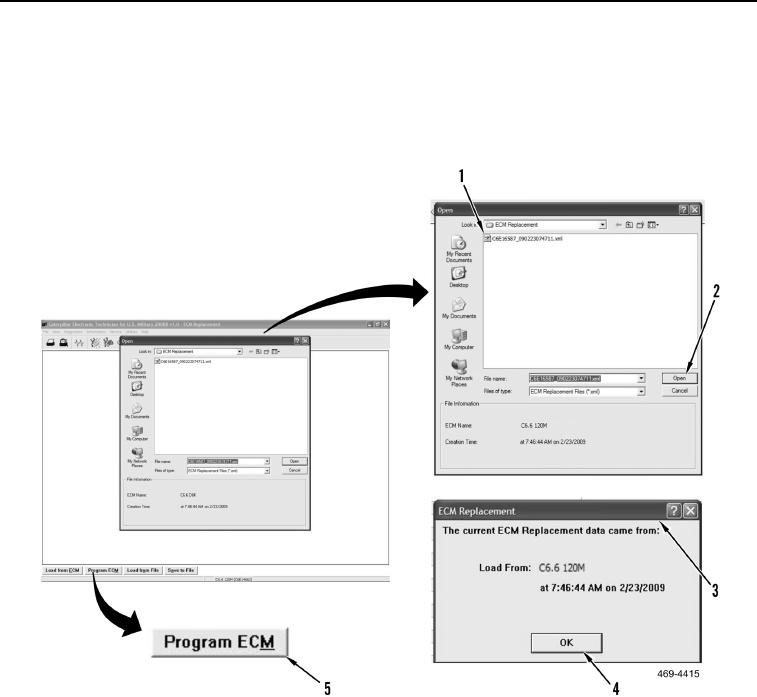
4. Select configuration file (Figure 12, Item 1) that was saved earlier and select open button (Figure 12, Item 2).
When The current ECM Replacement data came from:.... dialog box (Figure 12, Item 3) displays, select OK
button (Figure 12, Item 4).
5. Select Program ECM button (Figure 12, Item 5), then select ECM to be programmed and select OK button.
Figure 12. Configuration File.
08
0008-12